Tiptap Studio
A desktop app to inspect, edit, diff and validate Tiptap / ProseMirror JSON documents.
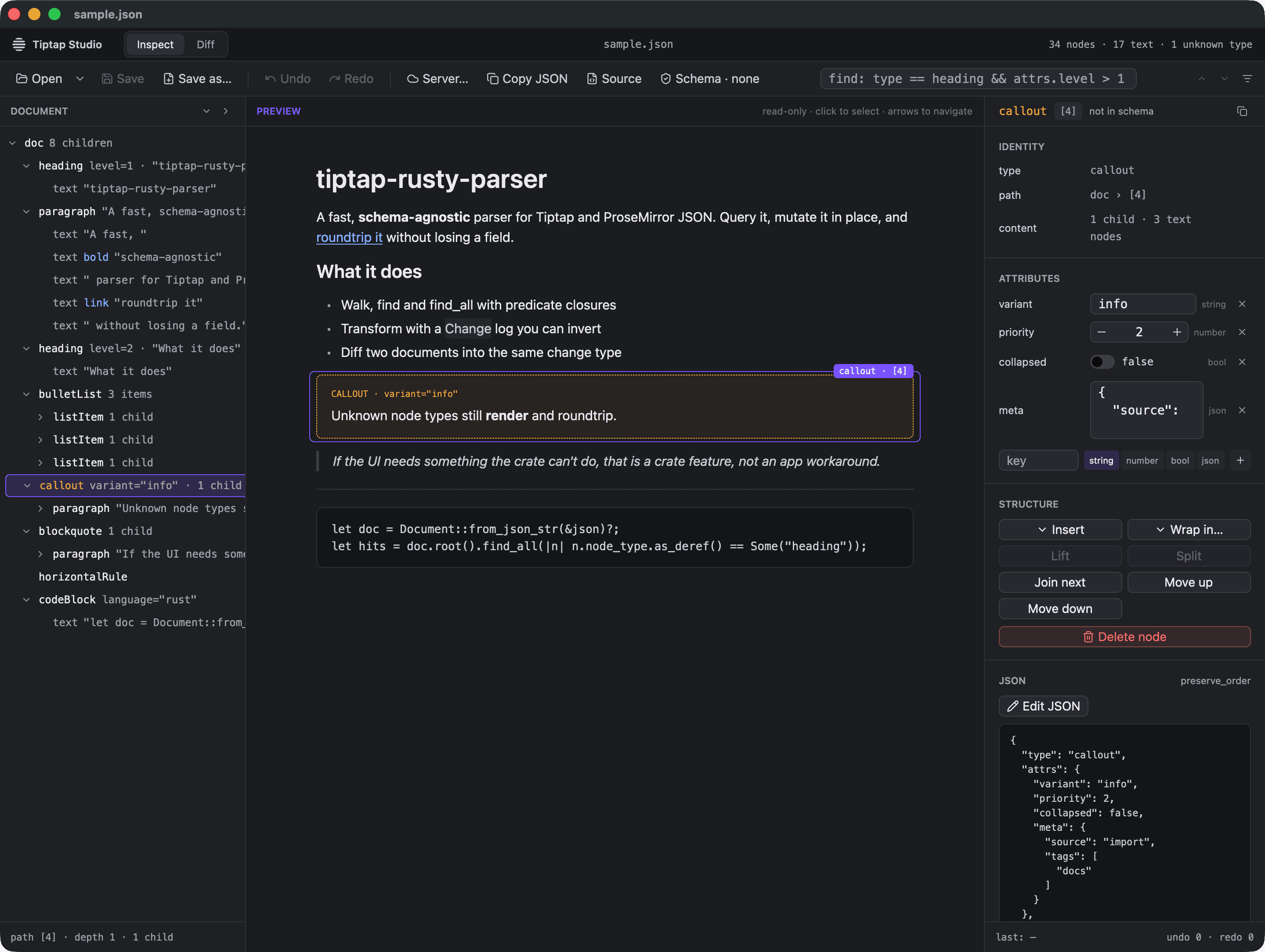
Tiptap Studio opens a Tiptap (ProseMirror) JSON document and shows it three ways at once: as a node tree, as a rendered preview, and in an inspector for the selected node. You can edit it structurally, compare it with a second document and merge changes, validate it against a schema, and pull documents straight from a Tiptap Document Server.
It accepts any node and mark types. Types it does not know still render and stay
selectable, and unknown fields survive a save unchanged. Every document operation runs
through tiptap-rusty-parser, so what you see is
what the crate does.
Install
Download the build for your platform from the
latest release. Each release also
carries a SHA256SUMS.txt:
shasum -a 256 -c SHA256SUMS.txt --ignore-missingmacOS
Requires macOS 10.15.7 or later, Apple silicon or Intel (one universal build).
- Open
TiptapStudio-<version>-macos-universal.dmg. - Drag Tiptap Studio to Applications.
Release builds are signed with a Developer ID and notarized by Apple, so they open
without warnings. A build whose name ends in -unsigned is neither. Clear the
quarantine flag once after copying it:
xattr -dr com.apple.quarantine "/Applications/Tiptap Studio.app"Windows
- Unzip
TiptapStudio-<version>-windows-x86_64.zip. - Run
tiptap-studio.exe.
The Windows build is not code-signed, so SmartScreen may warn on first launch. Choose More info, then Run anyway.
Linux
- Extract
TiptapStudio-<version>-linux-x86_64.tar.gz. - Run
./tiptap-studio.
It needs a Vulkan driver plus libxkbcommon, libxkbcommon-x11, libxcb,
libwayland-client and fontconfig, which most desktops already have. For a launcher
entry, copy tiptap-studio.desktop to ~/.local/share/applications/ and
tiptap-studio.png to ~/.local/share/icons/hicolor/1024x1024/apps/.
Command line
tiptap-studio                          # the bundled sample document
tiptap-studio doc.json                 # open a document as A
tiptap-studio a.json b.json            # A, plus B for Diff mode
tiptap-studio doc.json --schema s.json # validate against a schema file
tiptap-studio doc.json --schema starter-kit  # validate against the bundled StarterKit schema
--schema=<file> works too. On macOS the binary lives inside the app bundle:
"/Applications/Tiptap Studio.app/Contents/MacOS/tiptap-studio" doc.jsonA file that fails to parse does not stop the app: the window opens with the error, the line and column, and an excerpt of the source, so you can fix the file or open another.